This blog is now a permanent archive of our previous content. We're doing all of our new writing at tonymacx86.com. Register today!
-tonymacx86 & MacMan


 | CPU Options | Intel Core i3-3225 Intel Core i5-3570K | Amazon Newegg Amazon Newegg |
 | Motherboard Options | GA-Z77-DS3H GA-H77-DS3H GA-B75M-D3P GA-Q77M-D2H | Amazon Newegg Amazon Newegg Amazon Newegg Amazon Newegg |
 |
RAM
Options
| 4GB Corsair 1600Mhz DDR3 8GB Corsair 1600Mhz DDR3 16GB Corsair 1600Mhz DDR3 | Amazon Newegg Amazon Newegg Amazon Newegg |
 |
Case
| Corsair Carbide 300R | Amazon Newegg |
  | Storage Options | Seagate Barracuda SATA 6Gb/s 1TB HDD SanDisk Extreme SATA 6Gb/s 120GB SSD | Amazon Newegg Amazon |
 | Power Supply | Corsair 430 Watt | Amazon Newegg |
 |
Wifi
Card |
TP-Link PCI Express
Wifi Adapter (TL-WDN4800)
Works Natively!
| Amazon |
 |
Operating
System
|
Mac OS X
10.8 Mountain Lion
| Mac App Store |
| CPU | Intel Core i5-3570K Intel Core i7-3770 Intel Core i7-3770K | Amazon Newegg Amazon Newegg Amazon Newegg |
 | Motherboard Options | GA-Z77X-UD5H GA-Z77X-UP5-TH | Amazon Newegg Amazon Newegg |
 | Graphics Card Options | GeForce GT 640 GeForce GTX 560 Ti GeForce GTX 660 Ti GeForce GTX 670 GeForce GTX 680 | Amazon Newegg Amazon Newegg Amazon Newegg Amazon Newegg Amazon Newegg |
| Storage Options | Seagate Barracuda SATA 6Gb/s 1TB HDD SanDisk Extreme SATA 6Gb/s 120GB SSD | Amazon Newegg Amazon |
 | Case | Corsair Carbide 500R | Amazon Newegg |
| | RAM | 16GB Corsair 1600Mhz DDR3 | Amazon Newegg |
 | Power Supply | Corsair 650watt | Amazon Newegg |
| Wifi Card |
TP-Link PCI Express
Wifi Adapter (TL-WDN4800)
Works Natively!
| Amazon |
|
Operating
System
|
Mac OS X
10.8 Mountain Lion
| Mac App Store |
| Intel Xeon CPU Options | Intel Xeon E5 2609 (4 core) Intel Xeon E5 2630 (6 core) Intel Xeon E5 2640 (6 core) Intel Xeon E5 2650 (8 core) Intel Xeon E5 2690 (8 core) | Amazon Newegg Amazon Newegg Amazon Newegg Amazon Newegg Amazon Newegg |
 | Intel Core i7 CPU Options | Intel Core i7-3820 (4 core) Intel Core i7-3930K (6 core) Intel Core i7-3960X (6 core) | Amazon Newegg Amazon Newegg Amazon Newegg |
 | Motherboard | Gigabyte GA-X79-UD5 | Amazon Newegg |
| RAM | 16GB Corsair 1600Mhz DDR3 32GB Corsair 1600Mhz DDR3 64GB Corsair 1600Mhz DDR3 | Amazon Newegg Amazon Newegg Amazon Newegg |
| Graphics Card Options | GeForce GT 640 GeForce GTX 560 Ti GeForce GTX 660 Ti GeForce GTX 670 GeForce GTX 680 | Amazon Newegg Amazon Newegg Amazon Newegg Amazon Newegg Amazon Newegg |
 |
Case
| Corsair Graphite 600T | Amazon Newegg |
 | Power Supply | Corsair 750watt | Amazon Newegg |
| Storage Options | Seagate Barracuda SATA 6Gb/s 1TB HDD SanDisk Extreme SATA 6Gb/s 120GB SSD | Amazon Newegg Amazon |
 | CPU Cooler | Corsair H60 Hydro Series Liquid Cooler | Amazon Newegg |
| Wifi Card |
TP-Link PCI Express
Wifi Adapter (TL-WDN4800)
Works Natively!
| Amazon |
 | Optical Drive | Sony Optiarc | Amazon Newegg |
|
Operating
System
|
Mac OS X
10.8 Mountain Lion
| Mac App Store |
| OS X Mountain Lion App Released July 2012 | Mac App Store |
 | GeForce GT 640 PCIe-powered 900 MHz Clock for low power & quiet use. | Amazon ASUS, EVGA Gigabyte, MSI PNY Newegg ASUS, EVGA Gigabyte, MSI PNY, Zotac |
 | GeForce GTX 560 Ti Mid-range card with high performance. | Amazon ASUS, EVGA Gigabyte, MSI Newegg ASUS, EVGA Gigabyte, MSI PNY, Zotac |
 | GeForce GTX 660 Ti Mid to high end performance card. | Amazon
Newegg
|
| GeForce GTX 670 Standard High end - our top recommendation. | Amazon ASUS, EVGA Gigabyte, MSI PNY, Zotac Newegg ASUS, EVGA, Gigabyte, MSI, PNY, Zotac |
 | GeForce GTX 670 Upgraded Higher graphics clock speed. | Amazon ASUS, EVGA Gigabyte, MSI Newegg ASUS, EVGA MSI |
 | GeForce GTX 680 Standard The top end card. | Amazon EVGA Gigabyte, MSI PNY, Zotac Newegg ASUS, EVGA, Gigabyte, MSI, PNY, Zotac |
 | GeForce GTX 680 Upgraded Higher graphics clock speed. | Amazon ASUS, EVGA MSI, Zotac Newegg EVGA, MSI, Zotac |
| Intel Core i7-3770K 3.5Ghz | 4 Cores / 8 Threads, Turbo Unlocked for Overclocking | Amazon Newegg |
| Intel Core i7-3770 3.4Ghz | 4 Cores / 8 Threads, Turbo | Amazon Newegg |
| Intel Core i5-3570K 3.4Ghz | 4 Cores / 4 Threads, Turbo Unlocked for Overclocking | Amazon Newegg |
| Intel Core i3-3225 3.3Ghz | 2 Cores / 4 Threads, Turbo | Amazon Newegg |
 | Gigabyte GA-Z77X-UP5-TH | ATX VGA, DVI, HDMI Dual Thunderbolt Bluetooth/Wifi* | Amazon Newegg |
 | Gigabyte GA-Z77-DS3H | ATX VGA, DVI, HDMI | Amazon Newegg |
 | Gigabyte GA-H77-DS3H | ATX VGA, DVI, HDMI | Amazon Newegg |
 | Gigabyte GA-Z77X-UD5H | ATX VGA, DP, DVI, HDMI | Amazon Newegg |
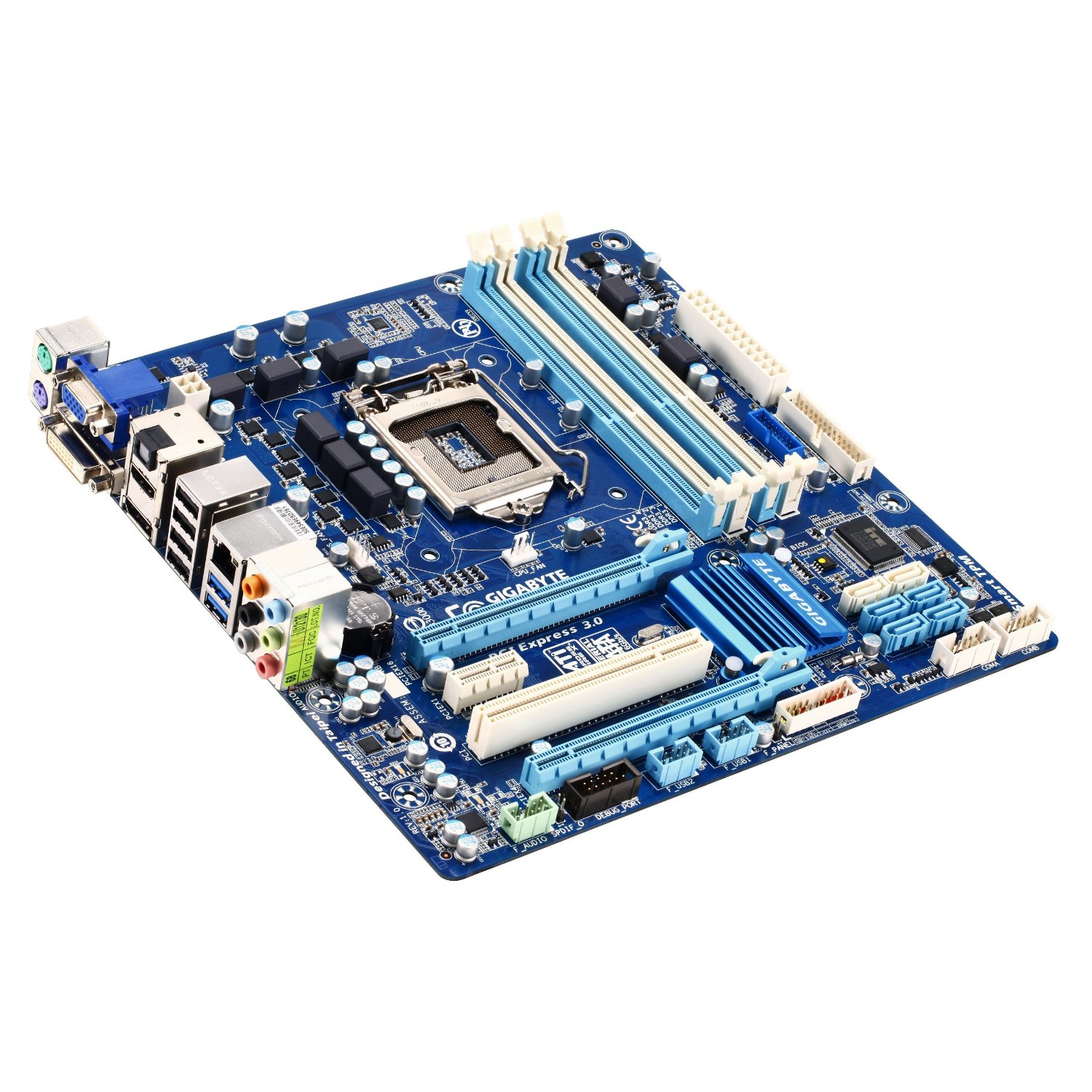 | Gigabyte GA-Q77M-D2H | mATX VGA, DVI, HDMI, DP | Amazon Newegg |
| Gigabyte GA-B75M-D3P | mATX VGA, DVI, HDMI, DP | Amazon Newegg |
| 500GB | Hitachi Deskstar SATA 3Gb/s | Amazon Newegg |
| 500GB | Seagate Barracuda SATA 6Gb/s | Amazon |
| 1TB | Seagate Barracuda SATA 6Gb/s | Amazon Newegg |
| 120GB | SanDisk Extreme SSD SATA 6Gb/s | Amazon |
| 240GB | SanDisk Extreme SSD SATA 6Gb/s | Amazon |
| 480GB | SanDisk Extreme SSD SATA 6Gb/s | Amazon |
 | 8GB | USB Flash Drive | Amazon Newegg |
| Optical Drive | Sony Optiarc | Amazon Newegg |
 | Apple Wired Keyboard | Amazon |
 |
Apple
Wireless Keyboard (Bluetooth) | Amazon |
 | Logitech Wireless Keyboard (USB) | Amazon |
 |
Apple Magic Trackpad
| Amazon |
 |
Apple Magic Mouse
| Amazon |
 |
IOGear Bluetooth Adapter
GBU521 Bluetooth 4.0 (Wakes from Sleep) | Amazon Newegg |
|
TP-Link PCI Express
Wifi Adapter (TL-WDN4800)
Works Natively!
| Amazon |